Preparing for iPhone and iPad

Keep the moments you love.
Clear the clutter.

See similar photos, duplicates and space-hungry videos together. You decide what stays in your library.

Coming soon to the App StoreExplore the app
A calmer library. Less busywork.
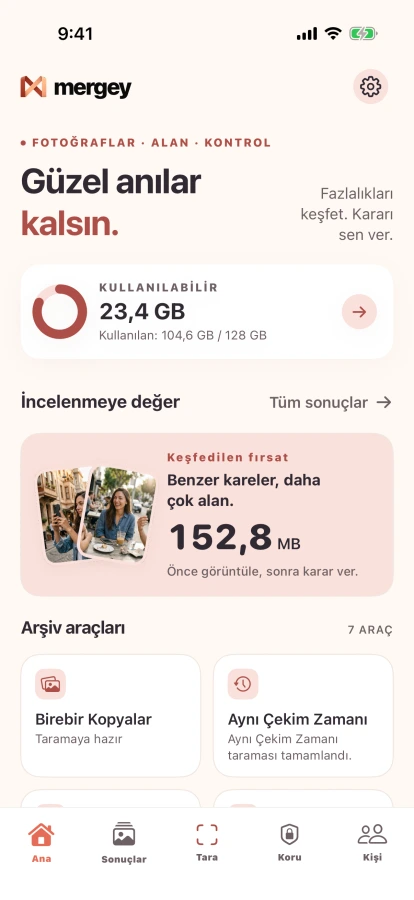
Real Mergey iOS home screen showing test-device profile and test library

iOS screenshot · Marketing 2K simulator

Similar photosExact duplicatesLarge videosContact cleanup
A clearer library

Find what matters
inside the clutter.

Mergey does not delete photos for you. It helps you see what may be worth reviewing.

See your library at a glance.

Scan choices and storage context live in one place. You decide where to begin.

Current Mergey dashboard captured from the Mergey Marketing 2K simulator
Real iOS screen · Marketing simulator

Fewer taps.
More control.

From your photo library to Contacts, Mergey makes clutter easier to spot and review.

Similar photos

Keep the best
part of the moment.

Review photos that look alike and choose which ones deserve to stay.
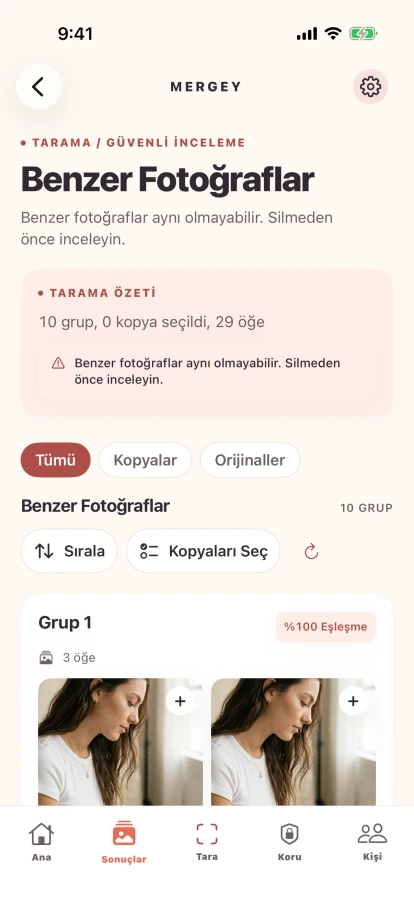
Similar Photos screen from the verified Mergey Marketing 2K run
Marketing 2K simulator · Similar Photos
Exact duplicates

One photo
does not need two copies.

Review duplicate groups, then decide what stays.
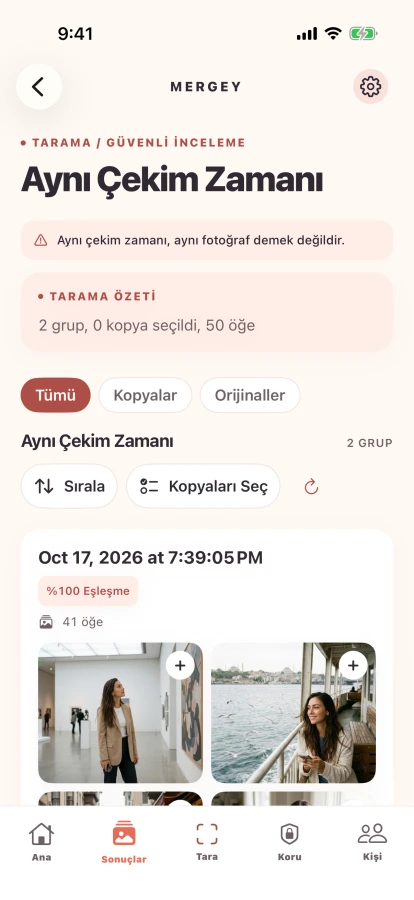
Current Exact Copies review screen captured from the Mergey Marketing 2K simulator
Marketing 2K simulator · Exact Copies
Videos and large files

See what is
using your space.

Find large videos, review them, then choose whether to compress or remove them.
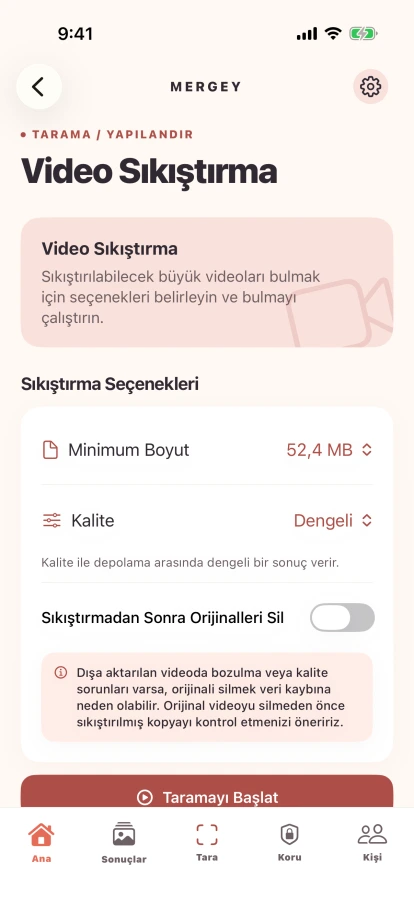
Current completed video-compression screen captured from the Mergey Marketing 2K simulator
Marketing 2K simulator · Video compression
Contacts and albums

Tidy your contacts.
Protect albums you care about.

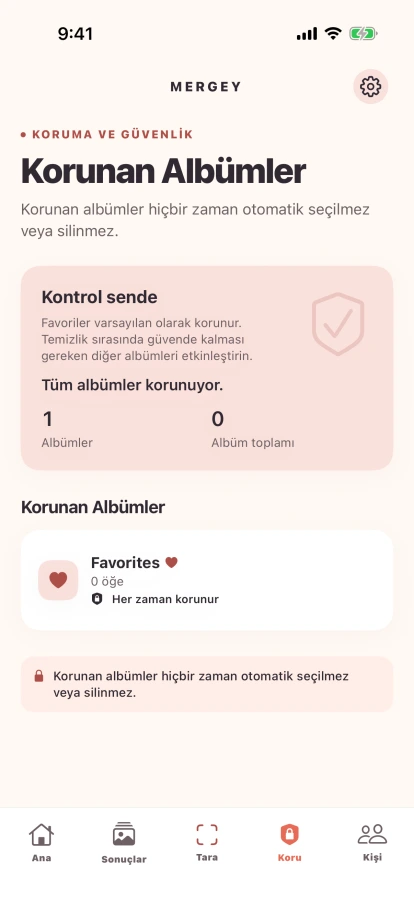
Review duplicate contacts, create a local contact backup and protect albums you want cleanup to leave alone.
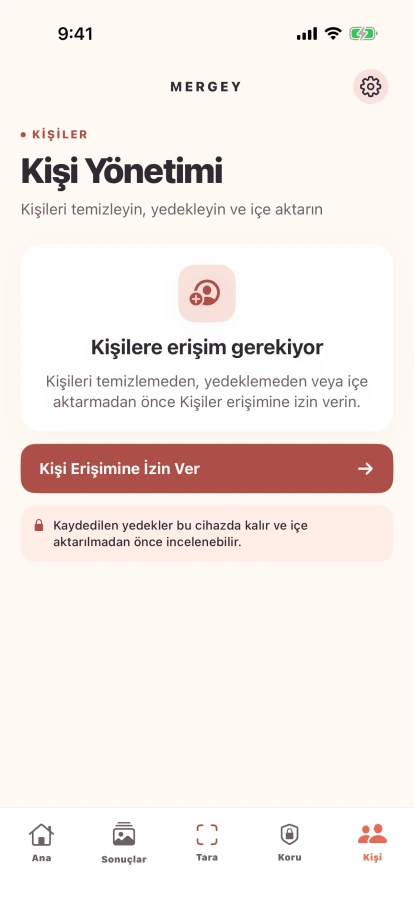
Current Contacts import preview captured from the Mergey Marketing 2K simulator
Current Protected Albums screen captured from the Mergey Marketing 2K simulator
Mergey Contacts and Protected Albums · Test previews

Three steps to
a calmer library.

You stay in control. Mergey simply makes reviewing easier.

Scan

Choose the photo or file group you want to review.

Review

Look through similar photos, duplicates and large files together.

Decide

Apply only the actions you choose.

Mergey Plus

Keep your cleanup
flow going.

Plus lets you continue without the daily photo and video deletion limit. Current plan details and prices are shown inside the app.

Continue without the daily deletion limitRestore purchases from inside the app
Questions about Plus?

A few things to know.

Quick answers before you start.

Does Mergey delete my photos automatically?

No. Mergey presents groups for you to review; you choose and confirm cleanup actions.

Where are my photos and contacts processed?

Photo and contact analysis happens on your device. You choose when to share or export something. See the Privacy for details.

Can I recover a photo I deleted by mistake?

Photo deletion follows Apple Photos' Recently Deleted behavior. Recovery timing and conditions are managed by iOS.

How do I manage Mergey Plus?

Subscription options and prices are shown in the app. You can manage an existing subscription from Apple Account settings in iOS.

A tidy library feels lighter.

Mergey is preparing for iPhone and iPad.

Need help? Support